
Adding an Edit link to Ghost posts
How I added a subtle link to edit the current page or post in Ghost.
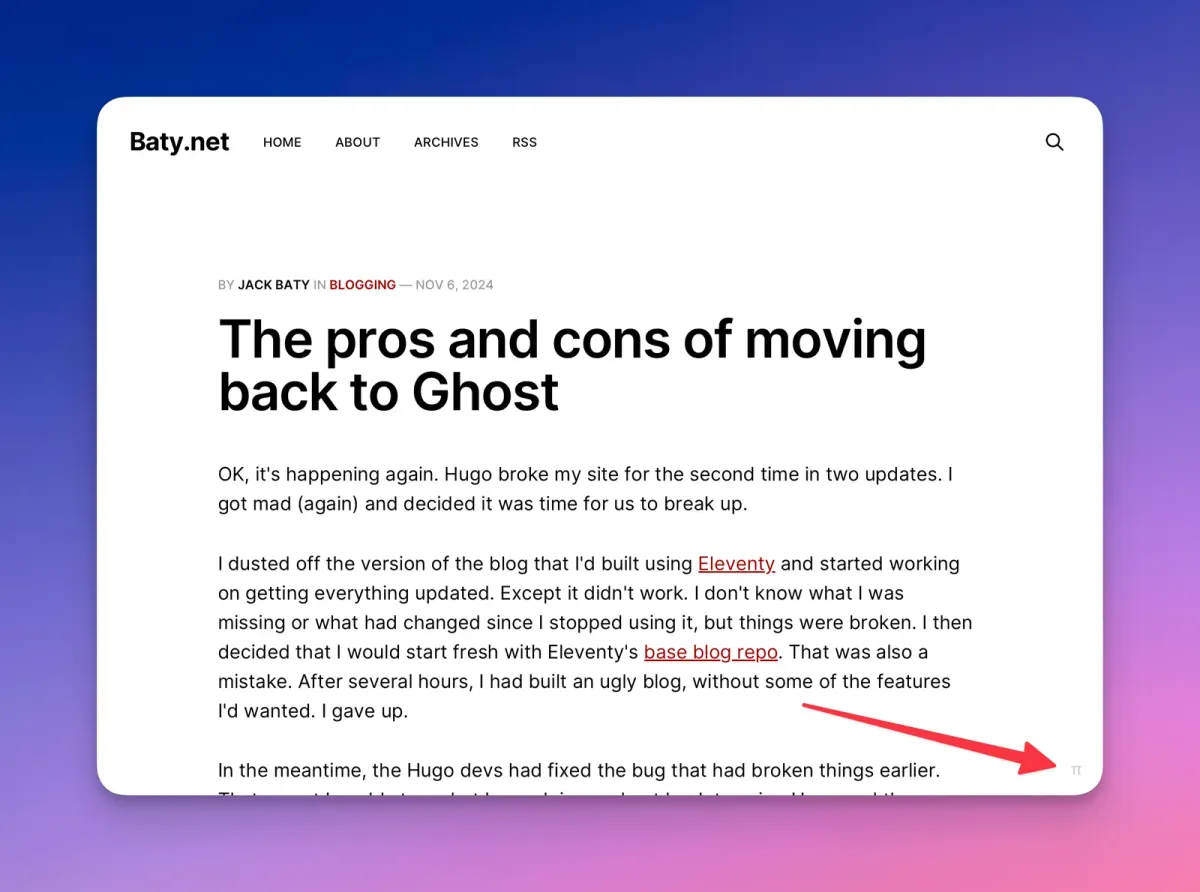
When reading one of my posts in Ghost, it would be nice if there was a quick way to get to the control panel to make edits. I always make typos, but don't always catch them until later. Or I might be reading, say, the /now page and decide to update it. By default, this involves going into the control panel and browsing or searching for the post/page in order to make the edits.
I found a solution to this on Jonas Liljegren's blog. Here's my slightly modified version of their solution.
Add the following to the post.hbs template:
    <div id="pi-pos">
      <a href="/ghost/#/editor/post/{{post.id}}">π</a>
    </div>
Add a similar one to the page.hbs template:
    <div id="pi-pos">
      <a href="/ghost/#/editor/page/{{page.id}}">π</a>
    </div>
Then add some custom CSS:
    /* Backdoor edit link */
    #pi-pos {
      position: fixed;
      bottom: 1em;
      right: 1em;
    }
    #pi-pos a {
      position: absolute;
      bottom: -1.6px;
      right: 3.2px;
      text-decoration: none;
      color: black;
      opacity: .2;
    }
Now, at the bottom right of every post and page, there's a subtle π link that takes me directly to that content in Ghost's control panel. I've already used it several times this morning.